Alyssa Asmus Photography
 |  |
|---|---|
 |  |
 |  |
 |  |
 |  |
 |  |
 |  |
 |  |
|---|---|
 |  |
 |  |
Freeze motion is taking a picture to look like it is just sitting there when it’s really moving, the shutter speed to show that we used 1/500. Motion blur the object is moving which results in a blurry photo; the shutter speed to make it blurry was 1/30. To help you can use Av move which stands for aperture value, ( f mode ) this helps match a good shutter speed to show the lighting settings. This will show the proper exposure, it is different than manual as in you have to set most of the things by yourself, in atomatic you have the camera set everything for you. These things can help create different kinds of photos but, for this assignment we showed the difference between freeze motion, and motion blur by using objects whether we are spinning them, rolling them, or showing any type of movement with the objects. I spun a globe for one to make it look like it was just sitting there which is freeze mode, and I got a picture of it spinning making it blurry to show motion blur.
 |  |
|---|---|
 |  |
 |  |
 |  |
 |  |
In class today we learned how to make photos look like an illusion almost. It's kinda like a cool kind of blurry. We did it by changing the ISO, and shutter speed then as we take the pictures we can move the lens or, the camera itself.
 |  |
|---|---|
 |  |
 |  |
 |  |
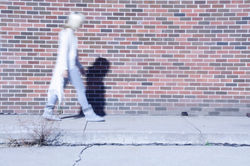
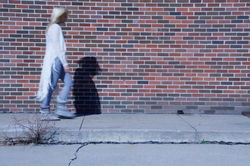
Today we learned how to make people look like ghost which is called ghosting. For this setting we used shutter speeds from 6-10 seconds.
Today in class we took photos using shutter speed to show freeze motion, and motion blur. This made the objects looksl ike they where just sitting there or, moving which made those ones blurry.